Agent cinema
One run. Four beats.
Plan, write, chat, verify — the same loop, framed like a session you can scrub.
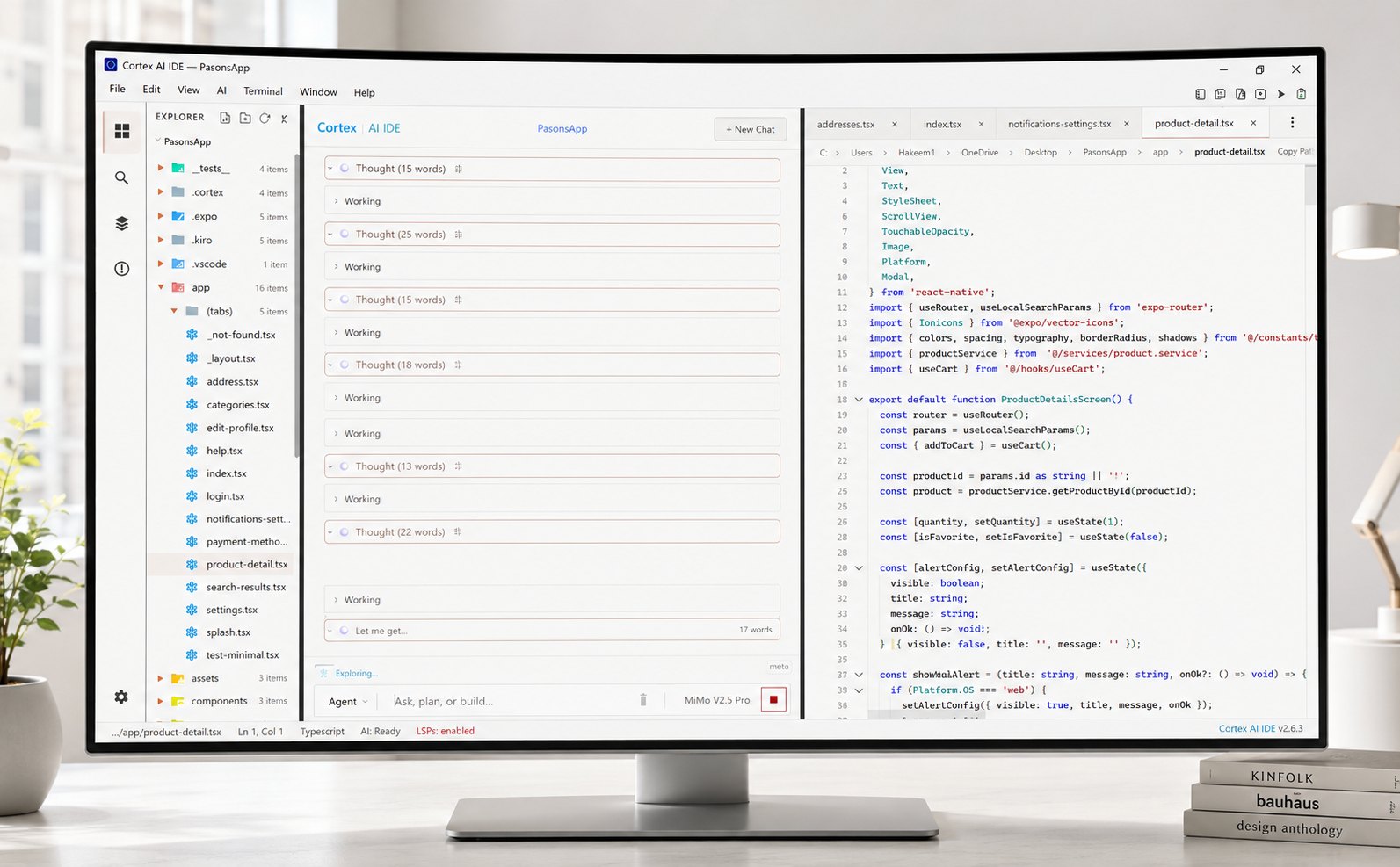
Hand Cortex a goal — its agents plan, edit, run, and test code autonomously in a native editor. Bring your own API keys: your machine, your models, your rules.
Plan, write, chat, verify — the same loop, framed like a session you can scrub.
Not autocomplete. Real agents take a goal, plan, edit files, run commands, and check their own results — on your machine, with your keys.
File read/write/edit, bash, grep, glob, semantic search, web search, git, and more. Real tools that execute code and iterate on feedback.
MiMo, DeepSeek, Anthropic, OpenAI, OpenRouter, Qwen. You pay providers directly — no markups.
Agents execute code, read terminal output, and iterate on real feedback — not guesses.
Extend agents with Model Context Protocol servers. Your tools, your rules.
Native app — no WSL, no container. Clean install, clean uninstall. Up to 1M+ context on flagship models.
Bring your own API keys for any provider. Your keys stay on your machine — stored in Windows Credential Manager, encrypted with DPAPI. Never sent to Cortex.
Free download — core source code is public on GitHub. Upgrade to Pro whenever you want the hosted services: web search, embeddings, OCR, and MCP.
Add your own API keys in Settings — MiMo, DeepSeek, Anthropic, OpenAI, OpenRouter, or Qwen. Stored securely in Credential Manager.
Describe what you want. The agent plans, edits, runs commands, and iterates until it's done.
BYOK = Bring Your Own Key. You provide your own API keys for LLM providers (MiMo, DeepSeek, OpenAI, OpenRouter, Qwen). You pay the providers directly — Cortex doesn't mark up or resell tokens. Your subscription covers the IDE platform, web search, embeddings, OCR, and MCP server connections.
6 providers: Xiaomi MiMo (V2.5 Pro, V2.5), DeepSeek (V4 Pro, V4 Flash), Anthropic (Claude Fable 5, Opus, Sonnet, Haiku), OpenAI (GPT-5.5, GPT-5.4), OpenRouter (Claude, Gemini, Grok, and more), Alibaba Qwen (5 models). All BYOK — you pay providers directly. Context windows up to 1M+ tokens on flagship models.
Open Settings → Models & Providers in the IDE. Enter your API key for each provider. Keys are stored in Windows Credential Manager, encrypted with DPAPI. They never leave your machine.
In the Windows Credential Manager, encrypted at rest by the operating system
with DPAPI and tied to your Windows account. Keys are never written to a plaintext config
file, never logged, and never exported. The IDE also keeps an AES-256-GCM encrypted backup at ~/.cortex/keys.enc.
No. All LLM requests go directly from your machine to the provider over TLS. Cortex never proxies, stores, or reads your code or prompts. The only data Cortex sees is your subscription info (email, plan).
The subscription gives you access to the Cortex AI IDE platform: the editor, agent system, web search (SerpAPI), semantic search with embeddings (SiliconFlow), OCR (Mistral), MCP server connections, and all future updates. LLM inference costs are separate — you pay providers directly via your own API keys.
Yes. Cancel whenever you want. No contracts, no cancellation fees. The IDE and BYOK chat keep working after you cancel — only the hosted services (web search, embeddings, OCR, MCP) pause until you resubscribe.
Subscribe and start coding instantly. Bring your own API keys for any provider.